

This article outlines the process for How to Buy Matic (Polygon) on CoinDCX in a straightforward way.
It is a step-by-step guide. It will cover your account opening process, KYC completion, fund deposit and purchase MATIC on CoinDCX. It is intended for beginners and experienced traders.
What is Matic (Polygon)?
Matic has now transitioned to being called Polygon. It is recognized as a Layer 2 Ethereum integration scaling solution specializing in transaction cost reduction and speed improvement. Ethereum remains a heavy favorite for decentralized applications (dApps), smart contracts, and Ethereum chain applications.
However, It suffers from congestion and therefore high gas rate fees and slower transaction times. Polygon solves it by introducing a side-chain, which is a chain alongside the Ethereum chain.
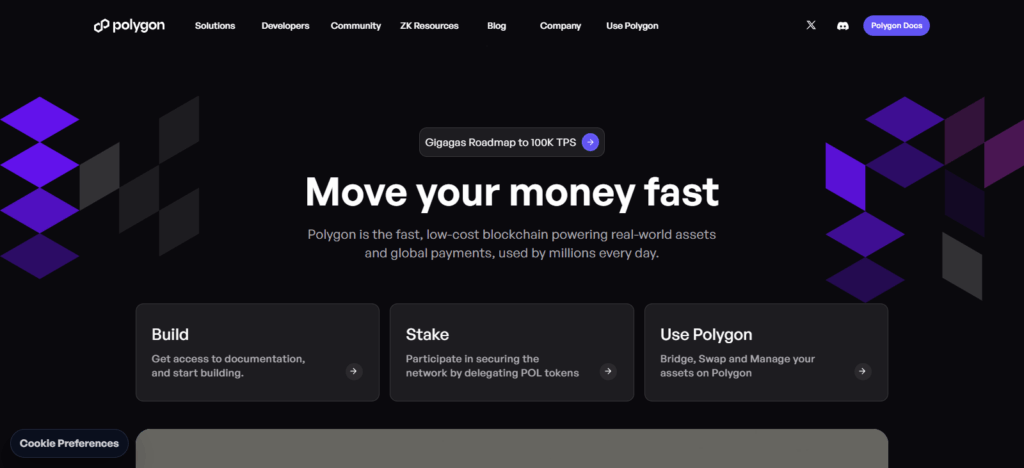
The native cryptocurrency, MATIC is used within the Polygon ecosystem for staking, governance, and transaction fee payments. Multiple and adaptable architectural designs powered by Polygon’s Plasma chain environments as well as zk-rollups and optimistic rollups provide a faster and cheaper transaction solution to the Ethereum chain’s intrinsic security.
Polygon has evolved to provide a range of services, enabling robust multi-chain ecosystem capabilities with the use of Ethereum’s security and decentralization. Polygon has achieved great popularity and relevance within Ethereum, becoming the primary DeFi component with low fees, high throughput, and developer-friendly infrastructure.
How to Buy Matic (Polygon) on CoinDCX
Here’s a clear, step-by-step example of buying Matic (Polygon) on CoinDCX.
Step 1: Sign Up or Log In to CoinDCX
- CoinDCX can be accessed using the following link: coindcx.com. Create a new account using your email or mobile number.
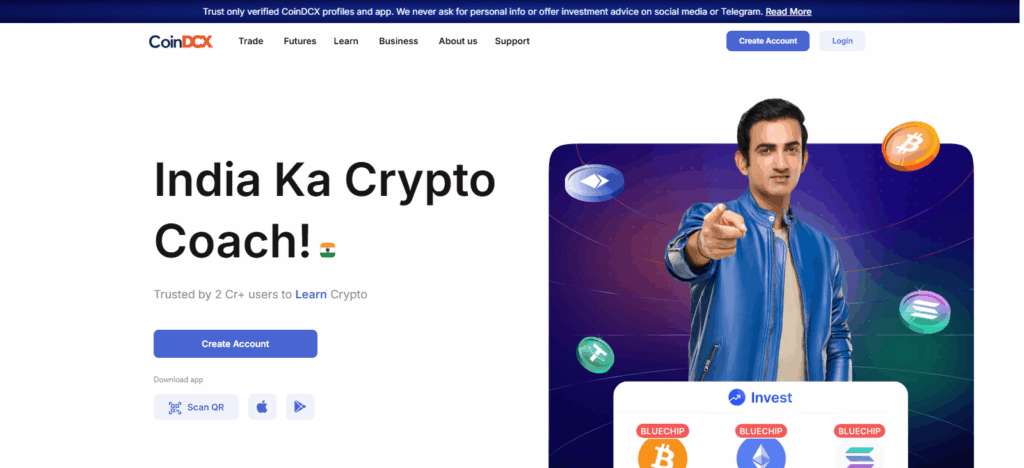
- If you own an account, you can log in.
Step 2: Complete KYC Verification
- Upload your driving license, Aadhaar, PAN, or Passport, and a selfie.
- CoinDCX will take a few minutes or a few hours to complete the KYC.
Step 3: Deposit Funds
- After KYC, go to the Wallets/Funds section.
- Under INR Deposit (using UPI, net banking, or bank transfer), choose the method and enter your desired amount.
- After confirming, the funds will be in your CoinDCX account.
Step 4: Search for Matic (Polygon).
- CoinDCX dashboard has a search bar. In the search bar, type in “MATIC” or “Polygon”
- Click on MATIC/INR to buy.
Step 5: Place a Buy Order.
- State the amount of MATIC you plan to purchase or INR you would like to spend.
- Select Market Order for a quick purchase at the price currently available or Limit Order to set a price for buying.
- To finalize the trade, hit Buy MATIC.
Step 6: Confirm the Transaction
- Check the specifics of your purchase, such as the price, fees, and quantity of MATIC.
- Approve the transaction.
Step 7: Inspect Your Wallet
- Navigate to the Wallet/Assets section.
- Your MATIC tokens will appear in your CoinDCX wallet.
Why Choose CoinDCX to Buy Matic
User Friendly for Beginners
Beginners can buy MATIC easily with an intuitive CoinDCX interface. Users can navigate the platform seamlessly from account creation to purchase.
No Fees for INR Deposits and Purchases
Buy MATIC cryptocurrency with the DCXinsta feature and enjoy no fees. For value-oriented investors, this is why CoinDCX is the best choice.
Extensive Protection
User assets are safeguarded with a multi-layered security approach on CoinDCX to include restricted user access and rigorous encryption.
Diverse Payment Methods
For Indian users, various methods such as UPI, NetBanking, and MobiKwik provide ease and flexibility in account funding.
Advanced Web and Mobile Platforms
Manage MATIC investments on the go with CoinDCX mobile and web platforms.
Pro Users Advanced Trading Features
CoinDCX offers advanced tools like futures trading, technical analysis, and API access for advanced users, catering to various trading strategies.
Strong Institutional Backing
CoinDCX has received considerable investments, such as Coinbase Ventures’ recent $2.45 billion valuation, representing legitimacy and reliability in the crypto market.
Educational Resources for Investors
The platform has educational resources to ease users into the crypto market to help them make knowledgeable investing choices.
Prerequisites Before Buying Matic
Create a CoinDCX Account
- You will have to sign up on CoinDCX with your Email ID or mobile number.
- Verified accounts help to trade in cryptocurrencies uninterruptedly and safely.
Complete KYC Verification
- KYC requires you to upload a valid Aadhaar, PAN, or Passport, along with a selfie.
- Depositing INR and trading on the platform requires KYC to be completed.
Add a Payment Method
- Add a payment option like UPI, NetBanking, or bank transfer for your convenience.
- Having KYC-verified details in the account or wallet you use helps in quick payments.
Deposit Funds
- Send INR to your CoinDCX account to make sure you have funds to buy MATIC.
- Deposit limits and the payment method you use determine the transaction time.
Understand MATIC (Polygon) Basics
- Go through the price fundamentals, trends, and the relative risk for MATIC before you buy.
- Understanding your CoinDCX trading fee structure, market, and limit orders will help.
Enable Security Measures
- Secure your account with 2FA (Two-Factor Authentication).
- Use complex passwords and keep your login details private to avert hacking attempts on your account.
Tips for Safe Trading
Enable Two-Factor Authentication (2FA)
- For every CoinDCX account, ensure that 2FA is activated for an additional layer of security.
- This will help ensure that unauthorized access is difficult, even if one of your passwords is weak.
Use Strong and Unique Passwords
- Complex passwords contain a combination of letters, numbers, and special characters.
- Passwords should differ across sites and applications.
Keep Funds in a Secure Wallet for Long-Term Holding
- For long-term MATIC investment, consider a hardware wallet or a secure external wallet.
- To reduce the risk of being hacked, avoid leaving large amounts on the exchange.
Avoid Trading During High Volatility
- Cryptocurrencies trade under significant price volatility.
- Impulsive trading during such bouts of volatility should be avoided.
Start Small and Diversify
- For beginners, only invest what is affordable to lose.
- Risk can be lowered through diversification.
Regularly Monitor Transactions
- Make sure to monitor your accounts and the transaction history for any unusual or unauthorized activities.
- For any unauthorized access or security breach, please report it to CoinDCX support.
Keep Up with Market Trends
- Keep track of reliable news sources regarding Matic (Polygon) and the cryptocurrency field.
- Being knowledgeable enables you to trade more confidently.
Common Issues & Troubleshooting
Deposit Delays
- Issue: INR deposit is not reflecting on your CoinDCX account.
- Solution: Confirm whether the deposit payment method was successful. Note thata CoinDCX account is not instant and may take several hours. If, after 24 hours, the funds are not reflected, contact CoinDCX support.
Transactions that Fail
- Issue: Buy or sell order does not is not executing or vesting.
- Solution: Check to see that the appropriate balance is order and the proper trading pair is set. Check that for limit orders that the price you set to sell at is the market price or lower.
KYC or Verification Issues
- Issue: KYC documents fail to get approval.
- Solution: KYC and other documents should be appropriate and contain the individual’s name that is registered. If documents are unclear and scanned to a lower quality, then the support desk will likely request the documents to be re-uploaded.
Issues on Withdrawal
- Issue: You are not able to withdraw MATIC or INR.
- Solution: Confirm the amount set due to network fees and withdrawal limits. Check that the wallet address you set is appropriate.
Issues Accessing Account
- Issue: Account log in is not possible and reset password does not work.
- Solution: Select the “Forgot Password” option and account 2FA reset code will confirm you for emergency log ins. If you still can not access your account contact CoinDCX support.
High Transaction Fees
- Issue: Fees during trades or withdrawals may be higher than expected.
- Solution: Before trading, check the fee structure on CoinDCX. You may also lower fees by using DCXinsta or market orders.
App or Website Glitches
- Issue: The CoinDCX app or website may be unresponsive or frozen.
- Solution: Try clearing cache, updating the app, or using a different browser or device. If the situation does not improve, reach out to support.
Pros & Cons
| Pros | Cons |
|---|---|
| User-friendly interface, suitable for beginners | Requires KYC verification before trading |
| Multiple payment options (UPI, NetBanking, crypto) | Some fees apply for withdrawals or advanced trading |
| Instant purchase with market orders | Dependent on internet and app stability |
| Strong security measures, including 2FA | Limited support for some international payment methods |
| Access to both web and mobile platforms | Market volatility can affect investment value |
| Educational resources and trading tools available | Beginners may need time to understand advanced features |
Conclusion
Purchasing Matic (Polygon) on CoinDCX is as uncomplicated as it is safe, provided you adhere to the appropriate steps. Start your MATIC investment simply by registering, undergoing KYC verification, making a deposit, and placing a buy order.
The interface is easy to use, safety is prioritized, and there are many payment options available, ideal for first-time traders and seasoned professionals alike. Safe trading means more than just the basics.
Always use strong passwords, secure wallets, track your trades, and, most importantly, use 2FA. CoinDCX allows you to buy and trade Matic with minimum risk and take advantage of the many opportunities within the Polygon ecosystem.
FAQ
For market orders, MATIC is usually credited instantly. Limit orders may take longer depending on the target price.
The minimum purchase depends on CoinDCX’s current limits, which usually allow buying small fractions of MATIC suitable for beginners.
No, completing KYC verification is mandatory to deposit INR and trade cryptocurrencies on CoinDCX.
CoinDCX charges minimal trading fees. INR deposits via DCXinsta are often fee-free, but standard withdrawal or trading fees may apply.
Yes, CoinDCX uses robust security measures, including 2FA, encryption, and secure storage of assets, making it a safe platform for trading.