

This article will go over how to use AI to automate daily tasks. I will touch on the meaning of task automation, the advantages, the most effective AI tools, realistic use-case examples, how to write prompts, the prevalent mistakes to avoid, and the anticipated developments.
This guide will assist even the most inexperienced user the opportunity to learn how to apply AI to manage time better, increase work output, and improve the efficiency of task management.
What Is AI Task Automation?
AI task automation refers to the use of artificial intelligence to do almost any task that is monotonous, mundane, or time-consuming. AI task automation does this by learning language, identifying patterns, interpreting data, and assessing context.
Email draft construction, file organization, meeting scheduling, document summarization, AI task automation even has the functionality to generate content, translate, and respond to questions. Modern AI assistants even have the ability to integrate into different applications to allow seamless task automation. AI task automation even allow real life task automation.

Compared to traditional task automation, AI task automation requires less human effort. For those who are just getting started, the ease of use and ability to save time, increase productivity, and lessen the manual effort is something that this innovation offers.
People are even able to spend time doing more valuable or creative things with the time they have saved because a person does not need programming skills to use it.
How to Use AI to Automate Your Daily Tasks (Beginner Guide)

Example: Automating the Daily Writing of Emails (Step by Step)
Step 1: Identify a Routine Task
Identify a task you do frequently such as writing daily emails to clients, coworkers, or customers. Automated email communication is the easiest task to implement AI.
Step 2: Open the AI Assistant
Using a web browser or mobile app, log into your AI assistant, such as ChatGPT, and start a new chat to give instructions to the AI.
Step 3: Write a Detailed Prompt
Be very specific about what you want. For instance:
Step 4: Check the Email Drafted by the AI
Look at the draft and read through it. Ensure all names, dates, times, and information in the email are correct.
Step 5: Personalize the Content
Add your Personalized information such as notes from you or your brand. AI produces a good draft with some helpful input, but it is a draft.
Step 6: Paste and Send
Paste the email into your email client, make any last edits you want to, and send the email to the client.
Step 7: Save the Prompt For Future Use
When crafting similar emails, you can store your prompt to your notes app or document. You can just adjust the client name and meeting details. An AI can generate an updated email for you in seconds.
Benefits of Using AI for Daily Tasks
Time Efficient: AI quickly tackles repetitive tasks, like sending emails or document prep.
Increased Productivity: With time consuming tasks out of the way, focus on the tasks that need creativity or strategy.
Less Manual Work: AI takes the time consuming tasks, like prep for meetings, out of the equation.
Enhanced Organization: AI takes control of calendars, tasks, and reminders.
Less Work Errors: Common work task errors are decreases through automation.
Nonstop Support: Use AI for help at any time.
Better Communication: AI quickly tackles the preparation of all forms of work communication.
Decisions Made Easier: AI offers suggestions based on prepared and analyzed data.
Research Help: Concepts and ideas are easily explained and summarized with AI.
Enhanced Creativity: Use AI for inspiration, content help, framing, and design.
Versatile Across Platforms: Seamless productivity integration is possible across all devices via AI.
User Friendly: AI requires little skill to utilize as all it needs is natural language to answer.
Better Work Life Balance: More time for personal use via the automation of daily tasks.
Customized: Frequency and difficulty of tasks can be gradually increased to more complex tasks.
Low Costs: AI provides huge productivity benefits for low to no cost.
5 Best AI Tools to Automate Daily Tasks
1. Microsoft Copilot
Microsoft Copilot will appeal to those looking for the best AI tools to automate daily tasks within the Microsoft 365 apps (Word, Excel, PowerPoint, Outlook, Teams). More advanced AI systems will draft your emails, meetings, analyze your spreadsheets, and write your presentations and documents with prompts in natural language.
Copilot also helps with analysis. In Outlook, it will help you organize your inbox, and draft your emails. In Teams, it will summarize meetings, and analyze them for you. Microsoft’s productivity solution integration and advanced speed and usability give the best suggestions for saving time and striving for increased productivity.
2. Claude AI
Claude AI is one of the best AI tools to automate daily tasks because it is helpful for writing, researching, document analysis and brainstorming. Claude AI has the best document summaries and has a the ability to structure formal responses in a conversational tone.
Students, content creators, business people, and researchers will find Claude AI to be the best assistant for working with lengthy documents and drafting emails.
Claude AI can complete tasks from creating a marketing strategy to highly detailed responses, all while ensuring he understands the context of the prompt. Reasoning, and delivering accurate information will be essential to all daily tasks.
3. Perplexity AI
Perplexity AI qualifies as one of the best AI tools to automate daily tasks that require online research and data collection. Compared to regular search engines, it provides AI-generated search results along with cited web sources, enabling users to find authentic information without spending time going through different webpages.
Perplexity AI summarizes articles, draws product comparisons, explains difficult concepts, and answers related questions citing trustworthy sources. Perplexity AI is used heavily by professionals, students, and researchers to optimize the time that they spend on fact-finding, researching the market, analyzing competition, and learning new concepts.
Because it is so easy to hold a conversation with and provides information in real time, Perplexity AI is a great tool for research help that is needed to be accurate and quick.
4. Notion AI
Notion is one of the best AI tools to automate daily tasks that require note taking and that help with project and team collaboration. Since Notion AI is embedded in the Notion workspace, it helps with taking meeting notes, summarizing, writing project plans and content, and taking and organizing tasks.
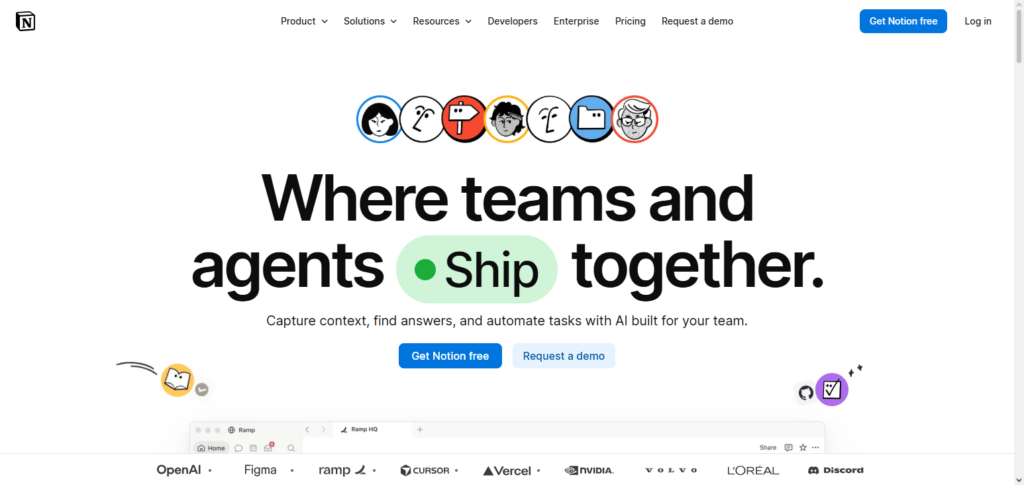
Notion AI helps teams automate the documentation process and the creation of a knowledge base, as well as improving and automating their workflows. Individual users benefit from the help with the organization of notes and the generation of content.
It helps with translating, rewriting, content generation, and even the creation of to-do lists based on notes taken during meetings. Because the workflows of Notion AI users are so well integrated with their productivity systems, it is a highly versatile tool for work organization and personal time.
5. Grammarly
Grammarly is one of the best AI writing assistants you can find on the market today. Grammarly is way more than just checking spelling or grammatical errors. Grammarly suggests ways to improve the overall tone and clarity of the writing.
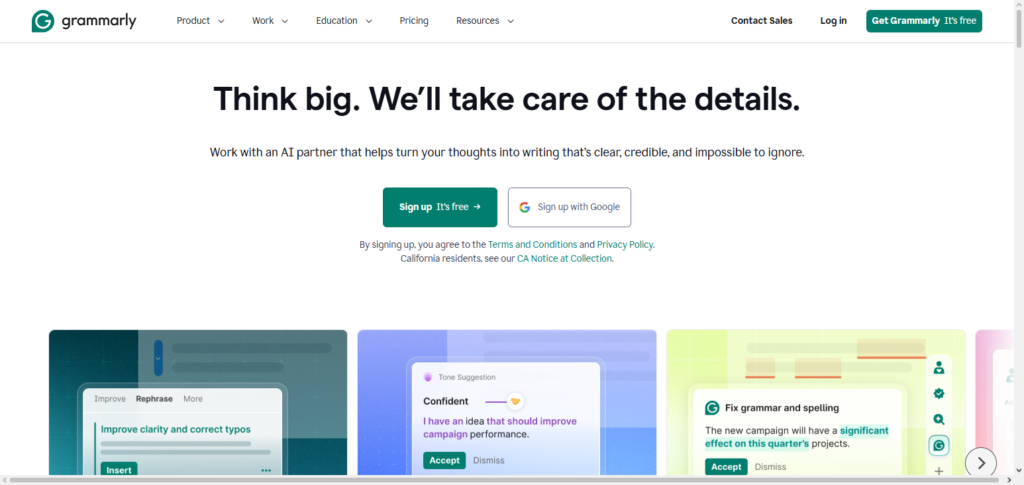
Grammarly also analyzes the audience and suggests ways to better your writing depending on who you are sending it to. Grammarly helps students and professors write better emails and posts. Grammarly is perfect for businesses as it helps write better reports and posts.
Grammarly can write it for you, can improve the tone and grammar, can check plagiarism, and suggests better word selections. Grammarly can be used as a browser extension, a desktop app, or it can be used within other writing apps. Grammarly helps everyone create better writing.
Practical Examples of AI Automation
Email Management: automate inbox organization, quick replies, drafting responses, and providing summaries of email threads.
Meeting Notes & Summaries: record meetings and provide summaries, lists of action items, and disseminate notes.
Calendar Scheduling: schedule meetings, send meeting reminders, identify and resolve scheduling conflicts, and provide best meeting time options.
Content Creation: blog posts, social media content, product descriptions, marketing content, and ideas generated in minutes.
Social Media Management: content creation, hashtag generation and scheduling, engagement analysis, and comment engagement.
Customer Support: 24/7 chatbot support, response to FAQs, and automated support ticket routing.
Research & Information Gathering: article summaries, product comparisons, information collection from varied sources, and research notes.
Language Translation: contextual translation of documents, emails, and websites.
Data Entry & Spreadsheet Automation: form and invoice data extraction, spreadsheet updates, report generation, and reduced manual entry errors.
Task & Project Management: to-do lists, task assignments, deadline tracking, reminders, and progress monitoring.
Online Shopping Assistance: smart shopping lists, product price comparisons, delivery tracking, and suggested purchases.
Personal Finance Management: expense tracking, budget monitoring, and spending summary reports with savings recommendations.
Smart Home Automation: AI voice assistants to control security cameras, smart appliances, lights and thermostats.
Learning & Education: study plans, book summaries, difficult topic explanation, quiz generation, and learning assistance.
Document Processing: Able to summarize PDFs, extract information from contracts, and systematize files. Also able to change files to/from other formats.
Travel Planning: Able to create travel plans and compare flights and hotels. Able to suggest points of interest and provide travel recommendations in real-time.
Image & Design Creation: Able to generate images and graphics. Able to edit images and graphics, remove backgrounds, create presentations, and design or create marketing materials.
Voice Assistants: Able to set alarms and play music. Able to answer questions, control smart devices, and perform daily tasks in a hands-free manner.
Code & Programming Assistance: Able to write code and explain programming concepts. Able to fix bugs and automate coding tasks that are done too frequently.
Tips for Writing Better AI Prompts
Detail Your Request: Avoid generalizations and be absolutely clear when you describe your request. A precise request will yield a precise answer.
Set the Scene: Offer pertinent background info that outlines your request, such as your end goal, your target audience, and/or the nature and scope of your project.
Set Output Parameters: Specify your desired output, whether a table, a list of bullet points, a list of steps, a paragraph, a guide, a checklist, etc.
Identify the Tone and Style: Your request can be answered in a professional, friendly, formal, informal, or even an SEO-response style. Spell it out.
Be Thorough: Include as many pertinent details as you wish, such as target audience and keyword examples, necessary output, etc.
Chunk Large Tasks: A prompt that answers the entire request at once is better submitted in sections. Identify your request in steps.
Sample Your Request: A
Snap to It: It’s better to ask for a rewrite, extension, simplification, or improvement of a section rather than a whole new response.
Get the Right Headspace: Your answers will be better and more relevant if you use prompts like “Act as…, I need your answer to be as if you were…”
Identify Output Pitfalls: Specify what your answer won’t include, such as jargon, long-windedness, or repetition.
Be Open-Minded with Your Prompts: Test the boundaries of the system’s capabilities. Reword your requests and use varying levels of detail to find the most effective phrasing.
Catalog What Works: Focusing on the most successful phrasing, assemble a library of prompts you can draw upon for similar tasks in the future.
Common Mistakes to Avoid
Avoid Ambiguity: Nonspecific prompts lead to nonspecific and inaccurate results. Be specific.
Fallibility of AI: Mistakes and faults with context are common. Check results against your requirements.
Fact-Checking: AI can produce incorrect or outdated information. Verify the accuracy of the information, data, and citations.
How AI Handles Data: Do not add personal information, passwords, or confidential information to AI.
Right AI for the Right Job: AI has many tools. Use the right AI for writing, coding, design, research, or automation.
AI is Not Human Judgment: AI is not the substitute for human judgment, creativity, or professional knowledge for critical situations.
Editing AI Output: Check grammar, formatting, tone, and fact check AI to ensure the output works for your intent.
Moderation is Key: AI is a productivity tool, not the substitute for your decisions and tasks.
Too Many Instructions: Requests should be simple and direct. Complex tasks should be broken down.
Providing Context: Set background because AI will produce results that are generic and irrelevant otherwise.
Privacy: Understand the AI tool of your choice and its privacy controls before uploading your documents.
AI Automation vs Traditional Automation
| Feature | AI Automation | Traditional Automation |
|---|---|---|
| Definition | Uses artificial intelligence to analyze data, learn patterns, and make decisions. | Uses predefined rules and fixed workflows to complete tasks. |
| Decision-Making | Can make context-aware decisions based on data and user input. | Follows only the rules programmed by humans. |
| Learning Ability | Continuously improves through machine learning and user interactions. | Does not learn or improve unless manually updated. |
| Flexibility | Adapts to new situations and changing requirements. | Works best with repetitive and predictable tasks. |
| Natural Language Understanding | Can understand and respond to human language using AI models. | Cannot understand natural language without predefined commands. |
| Complex Task Handling | Handles complex tasks such as content creation, image recognition, and data analysis. | Limited to simple, rule-based processes. |
| Accuracy | High accuracy but may occasionally generate incorrect or biased results. | Highly accurate when rules are correctly defined and followed. |
| Human Involvement | Requires human oversight for reviewing important outputs. | Minimal supervision once the workflow is configured. |
| Customization | Easily customized using prompts and AI settings. | Customization often requires programming or workflow redesign. |
| Implementation | Quick to start with many no-code AI tools available. | Usually requires scripting, software configuration, or technical expertise. |
| Best Use Cases | Writing, customer support, research, coding, scheduling, and smart assistants. | Payroll processing, invoice generation, manufacturing, and repetitive business workflows. |
| Cost | Many tools offer free plans, with advanced features available through subscriptions. | Initial setup can be expensive but is cost-effective for stable, repetitive processes. |
| Scalability | Easily scales across different tasks and departments. | Scaling often requires additional programming and infrastructure. |
| Examples | ChatGPT, Claude, Google Gemini, Microsoft Copilot, AI chatbots. | Macros, scripted workflows, robotic process automation (RPA), scheduled backups. |
| Ideal For | Businesses and individuals needing intelligent, adaptive automation. | Organizations with repetitive, rule-based operations that rarely change. |
Challenges and Limitations
Guaranteed Accuracy Doesn’t Exist: AI tools should never be relied on to give the correct information, as they can be erroneous and an important task should be separately validated.
Unsure Privacy Safeguards: The safety of personal information can’t be assured when using AI, as we enter private data for the tool to use.
Mostly Context-Less: AI cannot create a complete picture and will answer poorly or may use the wrong words as it cannot interpret what is required of it.
Precision of the Prompt is Paramount: The better the prompt is, the better the answer is.
Cost of Usage: More advanced features of an AI tool require a paid subscription, especially when the free plan has stricter limits on how often the tools can be used.
Needed Resources for Use: AI tools usually are only accessible online, as they require a stable internet connection.
Inherent Biases: AI tools can have their own biases, as they often answer based on what their framework believes should answer the most fairly.
Required Lack of Reason and Creativity: AI can help answer extremities of a situation, but the variables that are ever changing still require any person.
Difficult to Fit In: AI tools may require more learning or new applications because they need to be integrated with other technologies and tools that have already been developed.
False Automation: Bad prompts or errors in the configuration of a workflow can cause us to rely on AI to do certain tasks, and in many cases will lead to unintended actions.
Regulatory Worry: AI self-automation may break the standards of specific regulatory industries that are governed by data and copyright regulations.
Shifts in Job Function: AI replaces repetitive jobs, leading to skills obsolescence and requiring people to learn new skills to adapt to the new demands of their jobs.
Constant Testing and Updating: AI must be consistently checked and enhanced to deliver the results that are expected and remain useful.
Dependence on AI: Ignoring the human element in decision-making and relying purely on AI will lead to bad decisions and unneeded expenses while people lose the ability and reasoning skills to think critically.
Future of AI Task Automation

A major shift in the future of AI task automation is the expected increase in intelligence and personalization, as well as AI being integrated further into the fabric of our daily lives. Evolving from basic task.
AI assistants will be able to help users digitally in a proactive manner by scheduling meetings, organizing emails, analyzing documents, and managing workflows to help users and teams be productive, while making recommendations.
Continuous advancements in AI will will help enable a broader scope of automation. Organizations will implement more AI to improve operational task, and individuals will increasingly implement AI to improve personal productivity and reduce personal task.
With the empowered capabilities of AI, the use of AI will require strong measures of data privacy, ethics, and human oversight to ensure accuracy and safety of AI systems.
Conclusion
Automating tasks with AI is now widespread among employees of every type of organization as new tools on the market make it easy for virtually anyone to complete automation-eligible tasks more efficiently.
New users can begin task automation quickly for personal tasks such as managing emails, personal scheduling, creating content, conducting research, and organizing documents.
Productivity tools such as these come with risks and should be used in tandem with more traditional productivity safeguards such as fact-checking, data verification, and thorough review of documents, to account for the risks to data privacy.
Given the rapid evolution of artificial intelligence, the skills you will learn from everyday task automation will be adaptable and help you concentrate on the more rewarding and creative aspects of your job.
FAQ
What is AI task automation?
AI task automation is the use of artificial intelligence to perform repetitive or time-consuming tasks with minimal human effort. It can help with writing emails, scheduling meetings, summarizing documents, creating content, and organizing daily work.
Do I need coding skills to use AI for automation?
No. Most modern AI tools are designed for beginners and require no coding knowledge. You simply enter prompts in natural language to complete tasks.
Which AI tool is best for automating daily tasks?
The best tool depends on your needs. ChatGPT is great for writing and brainstorming, Google Gemini integrates well with Google Workspace, Microsoft Copilot works with Microsoft 365, and Zapier AI is ideal for automating workflows between apps.
Can AI automate my emails and calendar?
Yes. Many AI tools can draft emails, summarize email threads, schedule meetings, send reminders, and help manage your calendar more efficiently.